 |
Earlier, I post about what Desktop AR is and Holo-SDK for makeing Desktop AR apps. We do have a few Desktop AR sample apps on the gallery for VR/AR user to try it out. Now we are planning to make a new app for you guys to play but what app!!! Should it be Educational? Entertaining? B2B Showcase? Let’s keep thing SFW 🙂 submitted by /u/NightRabbit101 |
Which Desktop AR app should I make?

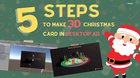
Tutorial: How to make greeting card using Desktop AR (No AR glasses & Not mobile AR)
Hi everyone, I posted about what is Desktop AR: link to the post. During the Chrismas we made a Santa dancing in real life, floating in front of a display. So in this post, I am excited to share that we have made a tutorial on how to do just that… Augmented Reality & /u/NightRabbit101

We create a SDK for Desktop AR (AR using your computer, without pricey headgear)
Hey everyone!
I’m very excited to announce the beta version of Holo-SDK for Desktop AR technology.
What is Desktop AR?
Desktop AR is a technique that enables laptop and desktop computers to produce AR effect without needing a phone or a headset. It creates the illusion of 3D objects floating in front of a screen by rendering red-blue 3D images according to a user’s viewing position. User can download the play Desktop AR apps by using their computer, webcam, and anaglyph glasses. You can download sample Desktop AR apps here: https://www.holo-sdk.com/sample-apps
Quick overview of Desktop AR applications
What’s cool about it?
- You get the holographic experience and seeing things floating in front of the screen. Here is a YouTube demo of what it felt like when playing a Desktop AR (https://youtu.be/cuvJxsB285k). Yes, the color will be a bit purple-ish because of the red-blue glasses. If that is what bothers you, you can also use active/passive 3D display to overcome this issue.
- Users do not need to have AR glasses or headset, which tends to be pricy. Desktop AR utilizes hardware that everyone already has and red-blue glasses that are available online for a low price. This also means that more potential users for your Desktop AR applications.
- More immersive than mobile AR. Mobile AR’s experience is limited by small display size and lack of stereoscopic. Unlike Desktop AR and AR glasses, Mobile AR enhances the realism of a video that a user sees on a device, rather than enhancing the viewing experience of the user directly.
How to make your own Desktop AR app?
You can make Desktop AR apps by using Holo-SDK. Holo-SDK is a unity-plugin. You can download and start developing going to (https://www.holo-sdk.com/get-started). We do have a free developer license there, so you can play with the tech without cost. We also have documents (https://docs.holo-sdk.com/docs/holo-sdk-manual/overview/), so that you can use the SDK easier.
What’s next?
Right now, the Holo-SDK is only for Unity and only compatible with Window OS. In the future, we will support other engines and OS as well.
I am looking forward to your suggestions, comments, and feedback. They are highly valued and appreciated.
Thank you.
Kindest regards,
Sirisilp
submitted by /u/NightRabbit101
[link] [comments] Augmented Reality & /u/NightRabbit101
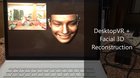
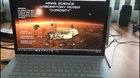
Play with @NASA ’s @MarsCuriosity in #DesktopVR. An alternative #edtech solution. Download and play on your computer at http://holo-sdk.com/holo-mars.
submitted by /u/NightRabbit101 [link] [comments] Augmented Reality & /u/NightRabbit101
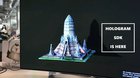
Turns your laptop computer into a holographic computer! Play Holo-APP and make your own app at http://holo-sdk.com
submitted by /u/NightRabbit101 [link] [comments] Augmented Reality & /u/NightRabbit101