
How to Schedule Messages to Send Later Automatically Using iMessage
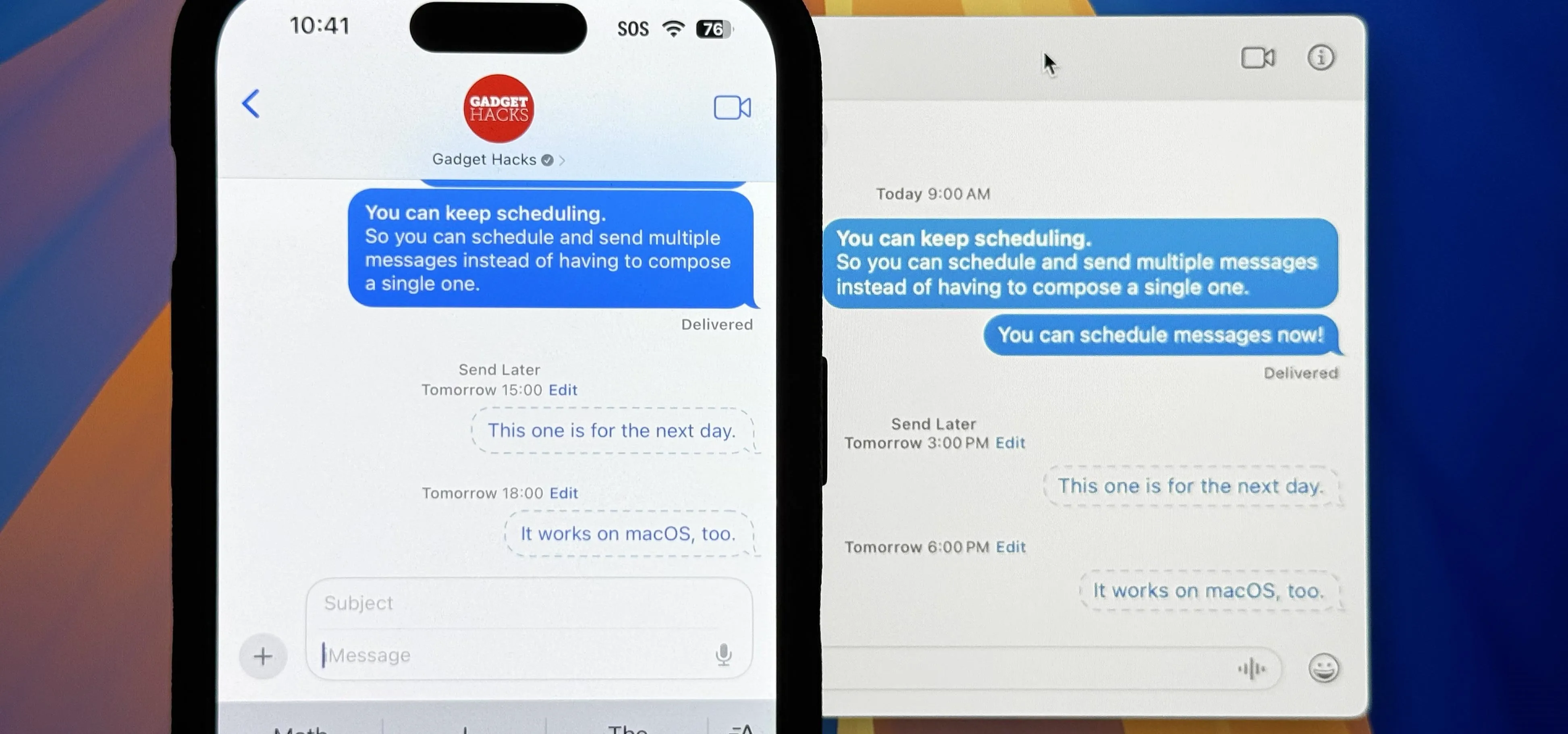
You could already schedule an email to send on a specific day and time in Apple's Mail app, but that functionality is now also available in the Messages app. What's even better is that scheduled messages sync across your iPhone, iPad, and Mac, something you don't get in the Mail app. To schedule texts in the Messages app, you must be running iOS 18, iPadOS 18, or macOS 15 Sequoia, which were released on Sept. 16. Only iMessage is supported, so you can't schedule RCS, SMS, or MMS texts. If you want scheduled messages to sync across your devices, you need Messages in iCloud enabled on each device. You can't yet ask Siri to schedule messages for you; it will just tell you to do that in the Messages app. But we hope that functionality eventually comes into play. Don't Miss: 18 New Messages Features in iOS 18, iPadOS 18, and macOS 15 You Didn't Know You NeededSchedule Messages on iOS and iPadOSIn an iMessage conversation, you can compose a message before setting a send-later day and time...more
Filed under: Allgemein - @ 27. September 2024 21:10